FileGPT
FileGPT is an AI-powered platform that allows users to interact with documents, videos, and audio through conversation, turning complex content into accessible insights.

TL;DR
FileGPT is an AI-powered platform that help users summarize and interact with research papers, videos, and audio files. As UX Designer & Researcher, I led research, interaction design, and usability testing to transform a raw API into a usable, intuitive product.
Problem
Most researchers and students lacked effective tools to summarize academic papers or lectures. They spent hours extracting insights manually, reducing efficiency and slowing progress.
Solution
Designed a GPT-powered conversational tool where users could upload files and "chat with documents." The UI prioritized clarity, persistent context, and inline citations to build trust.
Impact
Monthly active users in month one
0+
User satisfaction in early surveys
0%
Average time saved per paper
30-40 min
Context
"I spend 6-8 hours every week reading papers and still miss key insights."


Design Opportunity: How might we help people extract insights from complex research materials in minutes rather than hours?
Approach
1. Competitive Analysis
Mapping existing solutions and identifying differentiation opportunities
Objective
Understand gaps in existing summarization tools.
Action
Compared ChatPDF, ChatDoc, SciSummary → Found missing audio/video support and source references.

Competitive analysis showing FileGPT's advantages in multi-format support and trust features.
Key Insight
Multi-format support + trust-building features (sources) would define FileGPT's differentiation.
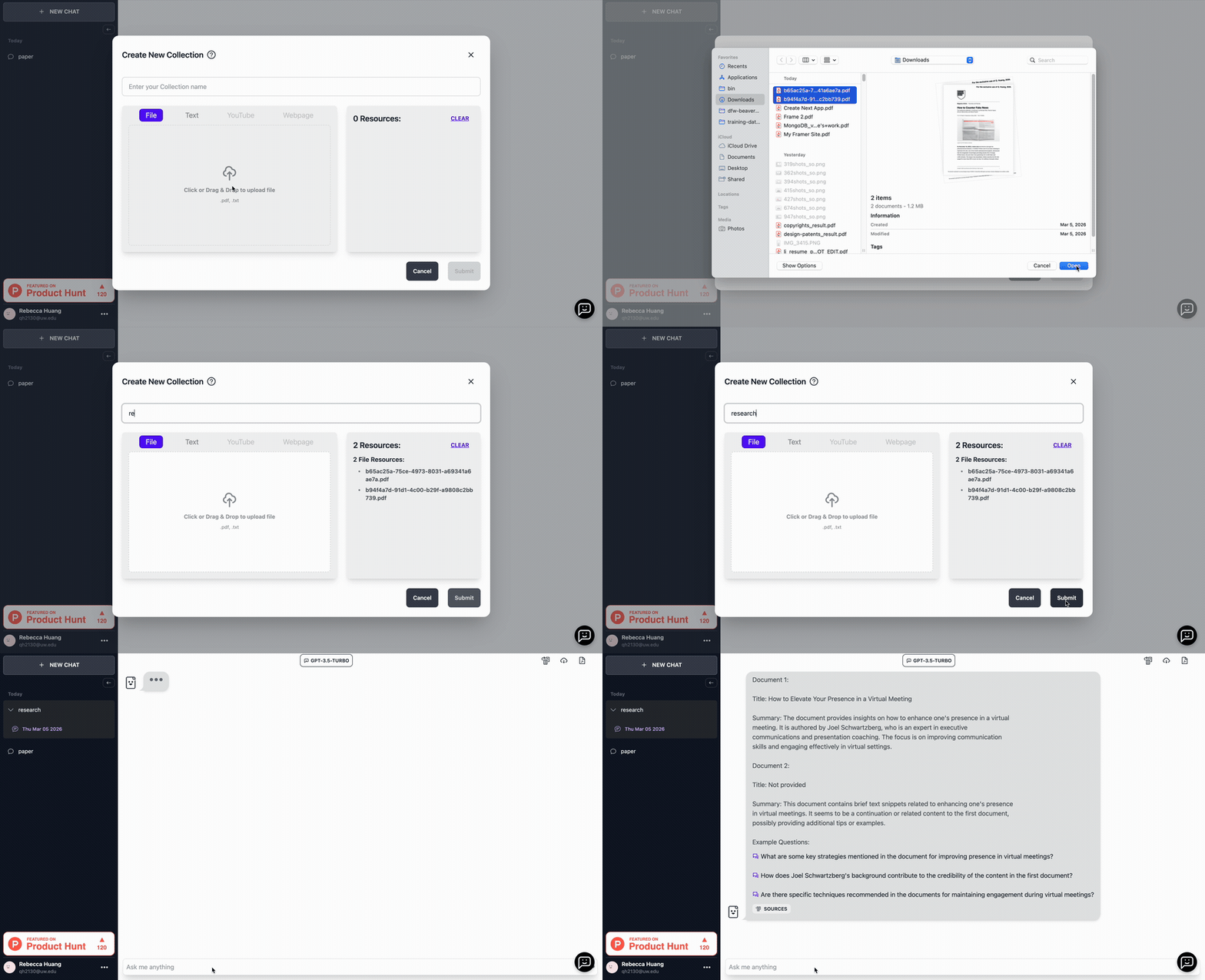
Design Solution 1
Support multiple file types and merged uploads so users can process PDFs, transcripts, and lecture materials together in one workflow.
2. User Test & Iteration
Validating flows with users and refining based on feedback

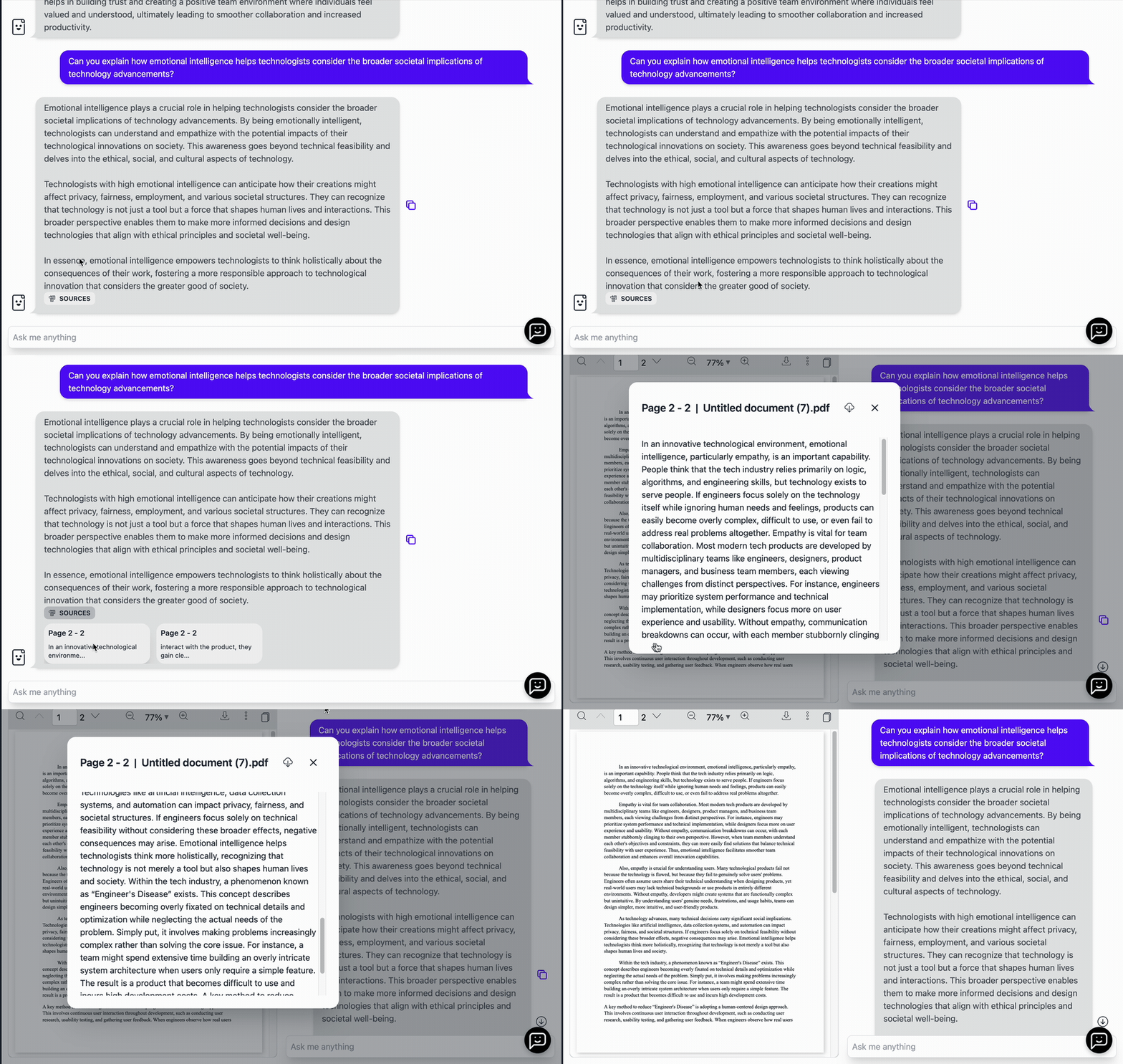
"How can I trust that this response is grounded in the materials I uploaded?"
Idea 1
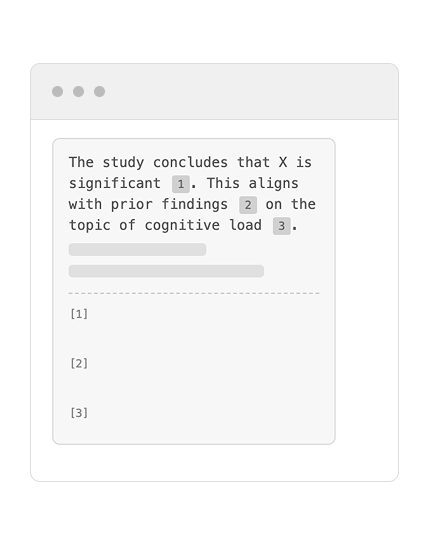
Footnote-style Citations
User must scroll to bottom to find sources - interrupts reading flow and adds friction.
Idea 2
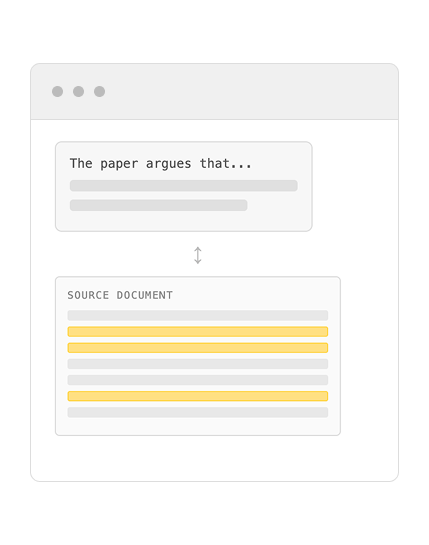
Highlight-only
User must switch between two panels to verify - high cognitive load, breaks conversation context.
Idea 3
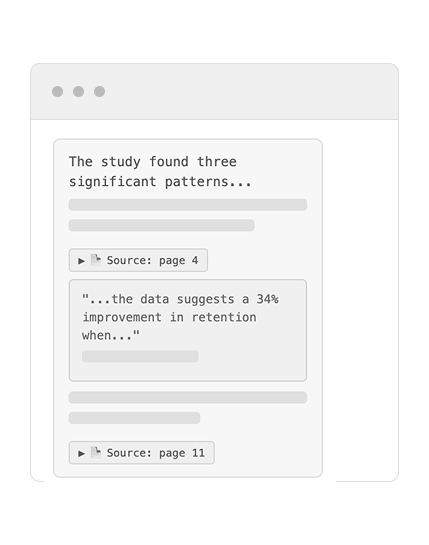
Inline Expandable Sources
Sources verify inline - no context switching. Builds trust without disrupting conversation flow.
Design Solution 2
Use source-grounded response panels so users can trace generated insights back to the exact file segments.
Key Outcomes
The design introduced three key capabilities that reshaped how users interact with research materials.
• Conversational exploration of documents
• Multi-format research ingestion
• Trust through verifiable citations
Reflect
Working on FileGPT when generative AI had just gained public attention revealed a new set of challenges for design. Unlike traditional UX flows, generative AI created unpredictable outputs, requiring me to prioritize credibility, transparency, and adaptability as part of the design.
This experience also highlighted the gap between academic UX training and real-world product development. In school, I was taught to conduct comprehensive, rigorous research, but I quickly realized that such methods were too time-intensive for a startup environment. Instead, I learned to adapt by running lightweight, rapid validations that still informed impactful decisions.
Working closely with developers showed me that design cannot be separated from technical feasibility. Many user flows and trust features, such as source traceability, depended on implementation details. This collaboration gave me a deeper appreciation for how design and engineering shape each other.